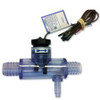
Sundance Spas Flow Switch, For All 6/99-2015 2 or 3-Pump Systems

- SKU:
- 680656SD
- MPN:
- 6560-860


Description
Sundance® Spas and Jacuzzi® Spas Flow Switch
Details:
-
Flow Switch with Transparent Tee 3/4 inch barb with s 3/8 inch barb off the side. We offer only as complete unit with plastic housing (clear plastic housing is not sold separately)
-
3/4" Barbed. Replaces part number 6560-858
-
Manufactured by Harwil
Used On the Following Spa Models:
- 06/1999-2015 Sundance® Spas 850/880 Series: Maxxus®, Optima®, Cameo®, Majesta, Altamar®, Marin®
- 2012-2015 880 Aspen®
- 2001-2015 850/880 Capri® 1 pump
- Jacuzzi® Spas J-300 LCD Series Models, 2002+ (with box end connectors)
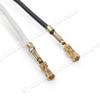
- If you have 2002+ LED J-300 use the 2560-040 (Curled Finger Connectors)
- Note: Flow Switch now comes molded with a 3/32" hole opening. Prior to Feb. 2008 a 3/32" hole had to be drilled for it to be installed on all 2002 to mid 2008 2- and 3-pump Sundance® Spas models (except Capri®). Plug used but not drilled on 2001+ Capri®.
Installation:
-
Click here for video instructions on replacing your flow switch
-
Please note: The video mentions a small reducer plug that needs to be added. The part now no longer needs that part since it is manufactured with the reducer.
-
The connectors on the Flow Switch are attached to a PC Board connector that is located on the PC Board (usually at the top). There are other wires connected to this plug:
-
To remove a sensor or switch wire from the sensor harness connector, insert a paper clip into the slot corresponding with the wire to be removed. This will depress the pin tine, allowing the wire to be pulled from the harness connector.
-
-
Jumper interlock wire, Flow Switch, High Limit sensor, and Temp sensor
-
Remove the pin connector from the board.
-
Important! When reinstalling the sensor or switch wire back into the sensor harness connector, make sure the pin tine is lifted (approx. 1/32") prior to inserting the wire. This will ensure the sensor wire locks into the harness connector. Do not over bend the pin tine or it may break off.
Troubleshooting:
-
A defective flow switch will cause a "Flashing Flo" or "Solid Flo" on the Control Panel Icon.
-
Flow Switch, Circulation Pump (clogged or defective), or Dirty Filter
-
-
"Solid Flo" is the Flow Switch
-
"Flashing Flo" could be:
Related Products
Related Products


Sundance Spas Flow Switch, 1-Pump Systems


Sundance Spas Flow Switch

Sundance Spas Flow Switch PVC

Sundance Spas Chelsee Flow Switch

